

This month’s BlueDolphin updates focus on making data easier to manage, insights easier to reuse, and collaboration more efficient.
Edit multi-select fields directly in the Repository
Multi-select fields in the Repository are now easier to view, update, and filter without leaving the table. Each cell now shows a simple summary indicating how many items are selected.
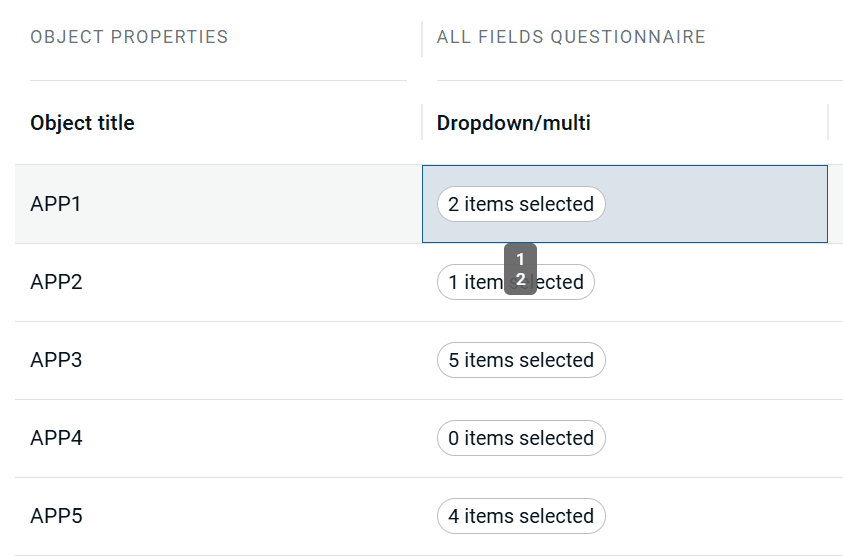
When you need to make changes, you can open an inline picker directly from the table. This allows you to search, select, and refine multiple values in one place, with clear visibility into what is selected and what is not.
This makes working with complex metadata faster and more intuitive. You can update information where you already work, reduce manual steps, and maintain cleaner, more consistent data across the platform.
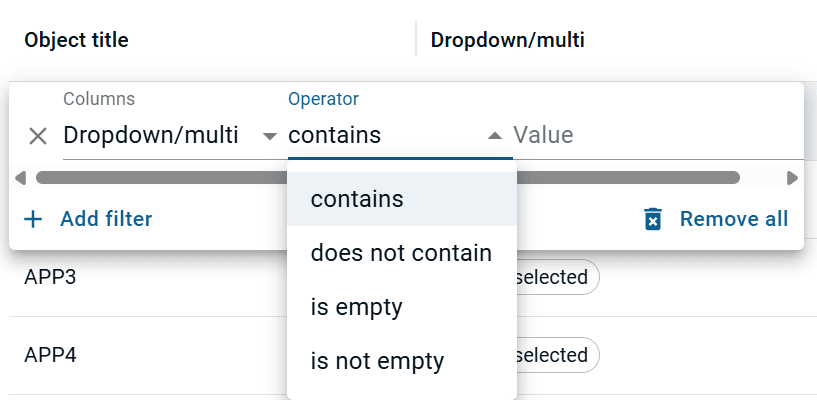
Filtering has also been extended to multi-select fields. You can now filter using operators such as contains, does not contain, and is any of, helping you quickly narrow down large datasets and focus on what matters most.
Save and reuse Custom Insight reports
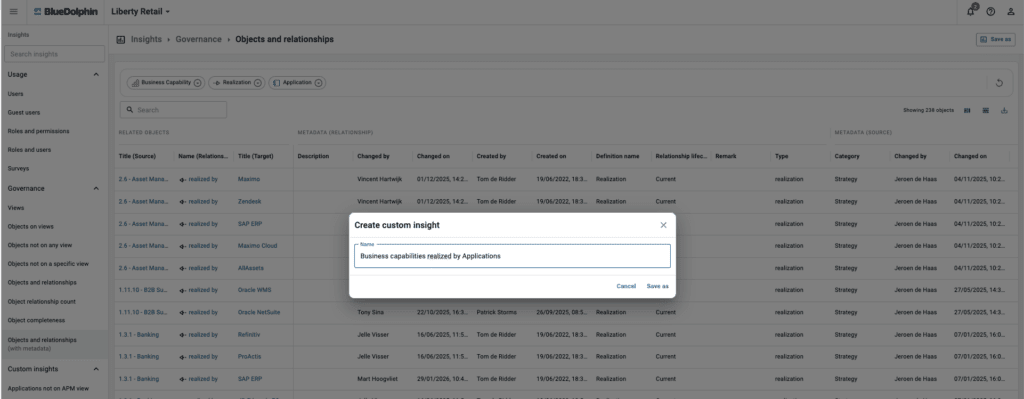
Insights are now more flexible and reusable with Custom Insight reports. You can create your own report configurations and save them for future use, making it easier to return to the exact views and analyses you rely on.

Once saved, these custom reports can be reopened or shared, allowing teams to work from the same perspective without recreating filters, layouts, or configurations each time.
This reduces repetitive setup and ensures consistency across teams. Instead of rebuilding reports, you can focus on interpreting insights and driving action.
Ready to put these updates to work?
Master BlueDolphin: Visit BlueDolphin Academy to explore short videos and learning resources that help you get the most out of BlueDolphin.
Explore the latest BlueDolphin improvements and see how simpler data management and reusable insights can help your teams work smarter and stay in control. Try BlueDolphin today.
Or get a tailored demo of these features from one of our experts. Request a demo.